Coordinate transformer#
The coordinate transformer provides an interface that converts a coordinate tuple in any projected reference system to the Equi7Grid, and vice versa.
A nice feature is that you can directly use the map coordinates and autofill them into the form via a left click on the map. To do so, you need to toggle the Use map coordinates checkbox. As long as this checkbox is ticked, the CRS box is deactivated and set to the LonLat system (4326). When clicking around, reprojection to the Equi7Grid and vice versa is done on the fly.
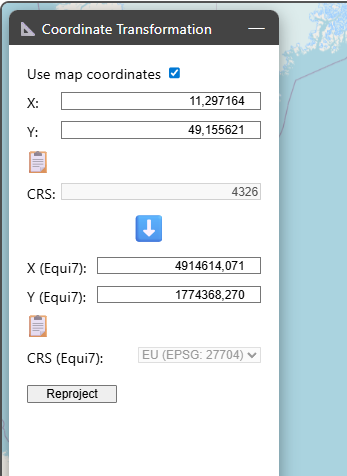
If you want to reproject different coordinates, you can enter them manually next to the source coordinate reference system. After clicking on Reproject, the coordinates are transformed into the Equi7Grid system and inserted into the respective coordinate boxes. The corresponding Equi7Grid continent is also autodected.
If you want to transform coordinates from the Equi7Grid system to any other projection system, you can change the direction of the blue arrow by clicking on it (from ⬇️ to ⬆️). Before triggering the reprojection, you need to enter the desired target coordinate reference system in CRS.
If you want to export/copy reprojected coordinates, you can click on 📋 below the coordinates of interest.